
Top 3 Free WooCommerce Themes in (2026)
Choosing a free WooCommerce theme in 2026 shouldn’t be guesswork. Instead of comparing hundreds of scattered themes, it’s smarter to focus on one solid free theme with purpose-built layouts for real ecommerce scenarios. Here are the 4 best free WooCommerce theme options in 2026, each rooted in a real, ready-to-use…
5 Best Free WordPress Themes in (2026)
In 2026, the best free WordPress setup looks very different. Instead of switching themes for every project, one well-built free theme can cover multiple use cases — from landing pages to magazines, SaaS sites, and portfolios. Here are the 5 best free WordPress theme options in 2026. Download Now 01…
WordPress Theme for Musicians: A Powerful Marketing Tool for Bands and Solo Artists

If you’re a musician and you’re looking for a WordPress theme that’s specifically designed for musicians, then you’ve come to the right place. In this article, we’ll take a look at the Citadela WordPress theme for musicians. Whether you’re a solo artist or part of a band, this theme will…
Electrician Website Template for WordPress
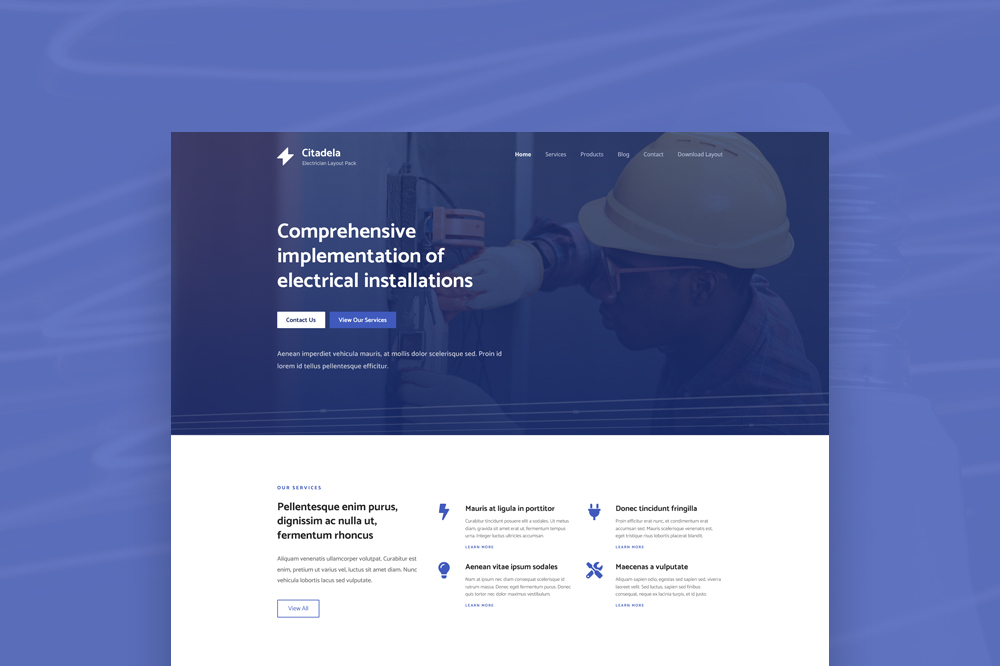
Use the Citadela Theme and layout dedicated to electrician websites. Our electrician website template is premade and contains everything you need for a professional presence. The Electrician WordPress theme includes service boxes, a contact form, a map, and contact details, allowing your website to be ready literally within minutes. Download…
How to fix PHP Fatal error: Uncaught TypeError: Cannot access offset of type string on string in wp-content/plugins/woocommerce/includes/admin/class-wc-admin-brands.php
If you’ve recently updated your WooCommerce plugin and attempted to import a layout, you might have encountered the following error: PHP Fatal error: Uncaught TypeError: Cannot access offset of type string on string in wp-content/plugins/woocommerce/includes/admin/class-wc-admin-brands.php:659 This error stems from a bug in the newest version of WooCommerce, specifically when importing…
How to include custom Javascript code on WordPress website
Adding custom JavaScript to your WordPress website can enhance its functionality and improve user experience. With the CitadelaWP Pro plugin, this process is straightforward. Here’s how you can do it: Step-by-Step Guide Access the General Settings In your WordPress dashboard, go to CitadelaWP Pro > General Settings. Add Your Custom JavaScript…
Managing and Customizing Your Posts Page
Your WordPress site can display your blog posts on a designated page, called the Posts Page. This guide will walk you through setting it up and configuring it to suit your needs. Setting Up a Posts Page Create a New Page: Go to Pages > Add New in your WordPress…
How to switch from Citadela to CitadelaWP
Change from Citadela to CitadelaWP You can continue using old Citadela products on your websites without any issues, but we won’t be releasing any new updates. We will only release updates and support to CitadelaWP theme, CitadelaWP Pro, CitadelaWP Listing plugin and CitadelaWP Layouts. If you switch to CitadelaWP theme,…
How to manage comments on Item detail page
Citadela Listing allows you to easily manage comments on your Item detail pages. You can activate or deactivate comments according to your preferences. Below are the steps to accomplish this: Activating Comments Go to Screen Options: Navigate to the top right corner of the WordPress admin panel when logged in….
How to add location and category on Item Detail Page
In this guide, we’ll show you how to enhance your item detail pages in WordPress by adding a Taxonomy Terms List. This functionality can be particularly useful for displaying categorized information or tags related to the specific item being viewed. We’ll use the “Taxonomy Terms List Block” plugin and the…
Table of Contents